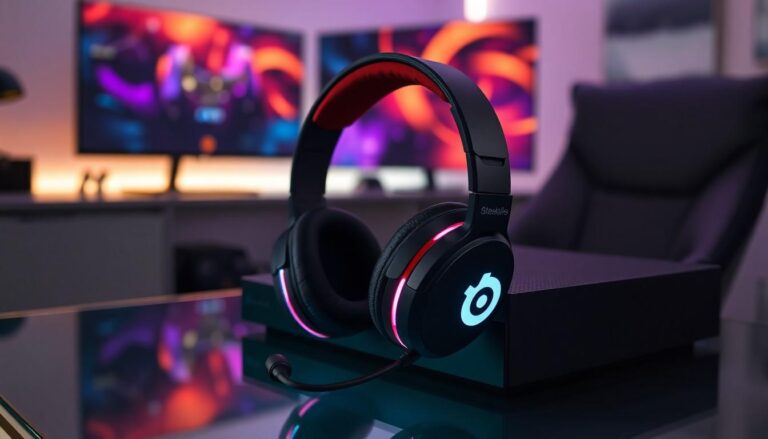
Gaming just got a whole lot more immersive with the SteelSeries Arctis 7. This headset isn’t just a pretty face; it’s packed with features that’ll make you feel like you’re right in the middle of the action. But wait—there’s a catch! Connecting it to your Xbox Series X can feel like trying to solve a Rubik’s Cube blindfolded.
Overview of SteelSeries Arctis 7
SteelSeries Arctis 7 delivers high-quality audio with its lossless 2.4G wireless connection, offering an impressive range and low latency. Gamers appreciate the comfortable design, featuring a lightweight construction and breathable ear cushions to support lengthy gaming sessions. It includes a robust battery life, lasting up to 24 hours on a single charge, allowing for prolonged use without interruptions.
Customizable RGB lighting enhances the aesthetic, granting users the ability to personalize their headset’s appearance. The dual wireless and wired connectivity options provide versatility, accommodating various devices beyond the Xbox Series X. Built-in ChatMix allows balancing game audio and voice chat seamlessly, which is critical for multiplayer experiences.
Notable features include the ClearCast microphone, renowned for delivering studio-quality voice clarity and active noise cancellation. Arctis 7’s custom-tuned drivers produce detailed soundscapes, enhancing the immersive quality of gameplay. User-friendly controls simplify adjusting volume and managing settings quickly.
Compatibility with various platforms adds flexibility, allowing use with PCs, PlayStation, and mobile devices. The headset’s durable construction withstands wear and tear, ensuring longevity in demanding gaming environments. The inclusion of a USB dongle makes setup straightforward, but it’s essential to note that challenges can arise when connecting to the Xbox Series X.
Overall, SteelSeries Arctis 7 combines comfort, functionality, and performance, making it a top choice for gamers seeking high-quality audio solutions.
Compatibility With Xbox Series X
The SteelSeries Arctis 7 provides unique challenges when connecting to Xbox Series X. Compatibility doesn’t come standard. Users often need to utilize an additional accessory for a proper connection.
Why Choose SteelSeries Arctis 7?
SteelSeries Arctis 7 stands out due to its immersive audio experience, ensuring gamers enjoy every detail in gameplay. High-quality sound, driven by custom-tuned drivers, allows players to pinpoint the origins of in-game sounds. Dual connectivity offers flexibility, permitting simultaneous connections to PC and console. Features like customizable RGB lighting and user-friendly controls enhance personalization and functionality.
The ClearCast microphone ensures voice clarity while minimizing background noise, crucial for team communication. Long-lasting battery life of 24 hours means extended gaming sessions without interruptions. Additionally, the headset’s comfortable design accommodates hours of wear without discomfort. These aspects collectively establish SteelSeries Arctis 7 as a prime choice for gamers looking for quality and comfort.
Connecting SteelSeries Arctis 7 to Xbox Series X
Connecting the SteelSeries Arctis 7 to the Xbox Series X requires specific steps due to unique compatibility considerations. Ensure all necessary accessories are ready for a successful connection.
Preparing Your Headset
Charge the headset fully before connecting. Battery life is crucial for extended gaming sessions. Check that the USB dongle is plugged into the Xbox Series X’s USB port. This dongle allows for the wireless audio connection. Lastly, turn on your headset by pressing the power button until you hear a voice prompt. This prepares the headset for pairing and ensures an optimal experience.
Steps to Connect
Ensure the headset is in pairing mode. Press the power button until the indicator light starts blinking. Next, configure the Xbox Series X settings for audio output. Navigate to Settings, select Device & connections, then choose Accessories. After this, select the headset options to check for updates and adjust audio settings. If all steps are followed correctly, the headset should connect seamlessly, allowing gamers to enjoy high-quality audio.
Troubleshooting Common Issues
Connecting the SteelSeries Arctis 7 to the Xbox Series X may lead to a few common issues. One common problem involves audio not being transmitted through the headset. To resolve this, check the connection of the USB dongle; ensuring it’s securely plugged into the console’s USB port is essential.
Interference can also disrupt the wireless connection. Keeping other wireless devices away from the console can help maintain a stable connection. If static noises occur during gameplay, confirm that the headset is fully charged. Low battery levels can affect audio quality, so charging the headset for a while often helps.
In cases where the headset doesn’t enter pairing mode, a reset may be necessary. Press the ChatMix dial for 15 seconds until the LED indicator flashes. This action resets the headset, allowing for a fresh pairing attempt with the console.
To tackle issues with game audio and voice chat balance, revisiting the Xbox audio settings is crucial. Access the settings menu and navigate to the audio output options, then adjust accordingly to achieve the desired balance of game and chat audio.
Lastly, if further difficulties persist, checking the SteelSeries Engine application on a PC can provide additional configuration options. Utilizing the app allows for updates to the headset’s firmware, ensuring optimal performance and compatibility with the Xbox Series X.
Conclusion
Connecting the SteelSeries Arctis 7 to the Xbox Series X may require some extra steps but the payoff is worth it. Once properly set up, gamers can experience immersive audio that enhances every gaming session. With features like customizable RGB lighting and dual connectivity, this headset remains a top choice for serious gamers.
Troubleshooting common issues ensures a smooth connection, allowing users to focus on gameplay rather than technical difficulties. By following the outlined steps and utilizing the SteelSeries Engine application, users can maximize their headset’s potential. Ultimately, the SteelSeries Arctis 7 delivers an exceptional audio experience that complements the power of the Xbox Series X.